





Help And Support
Accounts - Time Deposit - Withdraw Before Maturity
Frequently asked questions
-
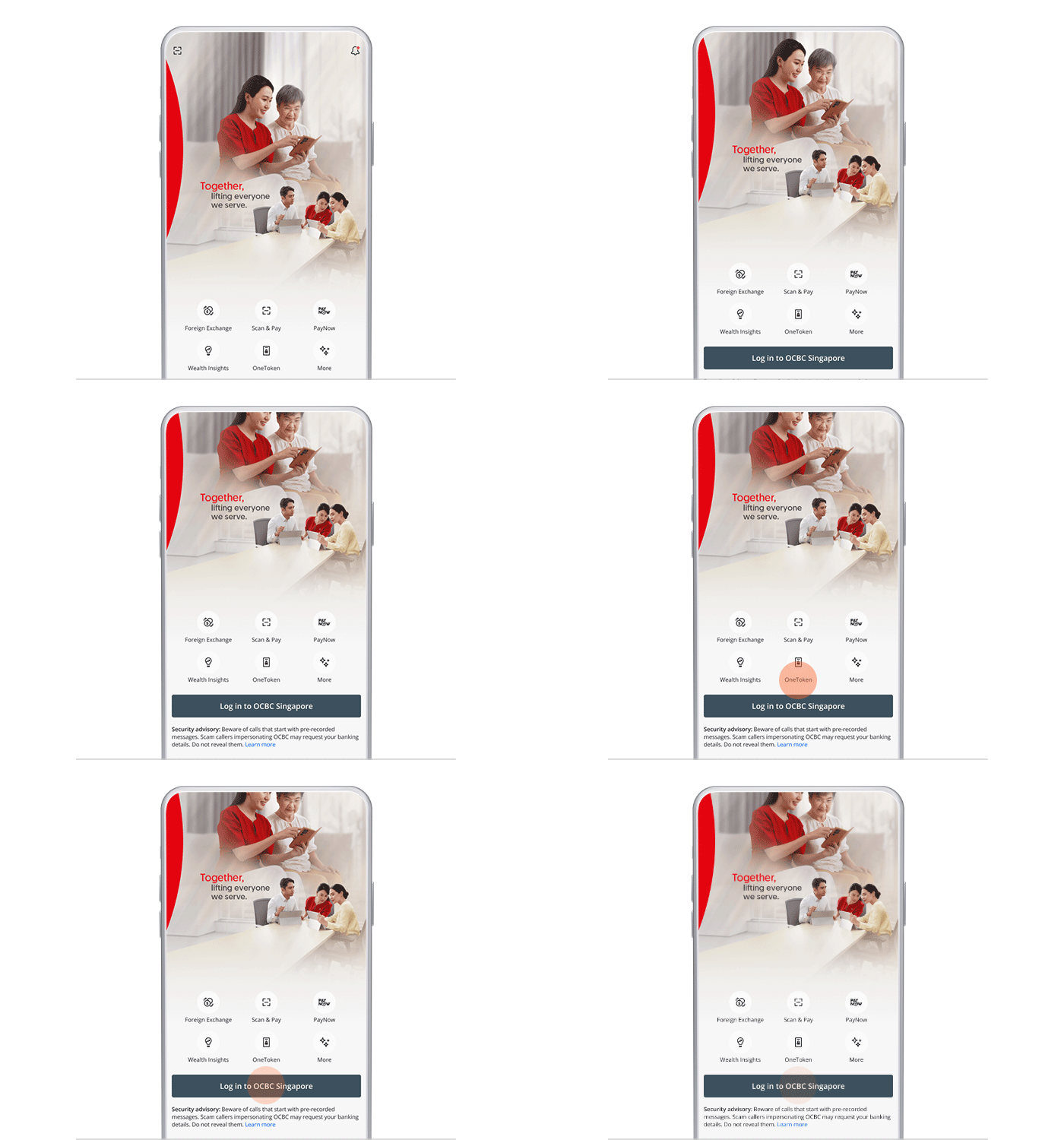
Step 1: Log in to the OCBC app
On mobile app
-
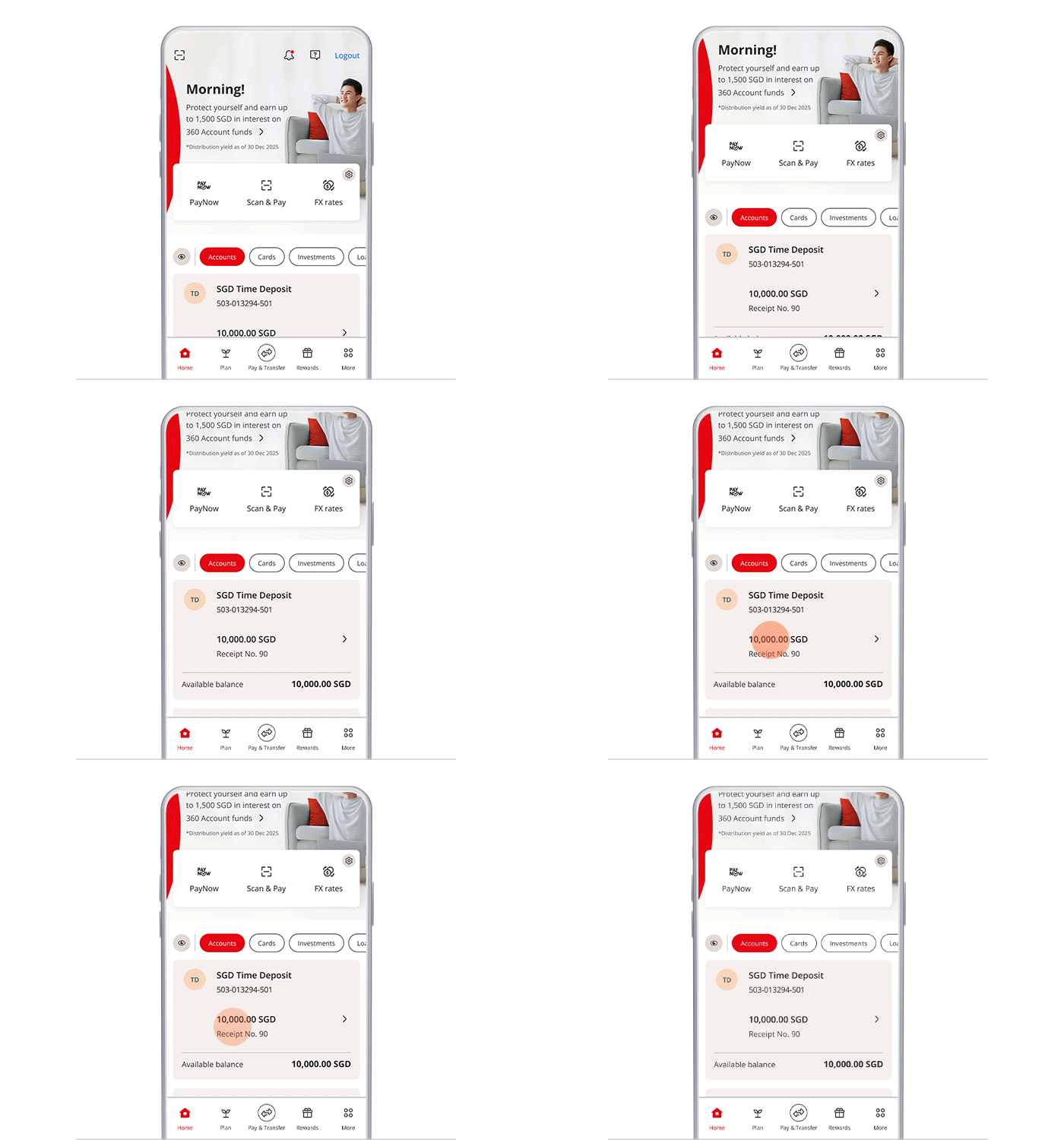
Step 2: Tap on the Time Deposit receipt on your dashboard
On mobile app
-
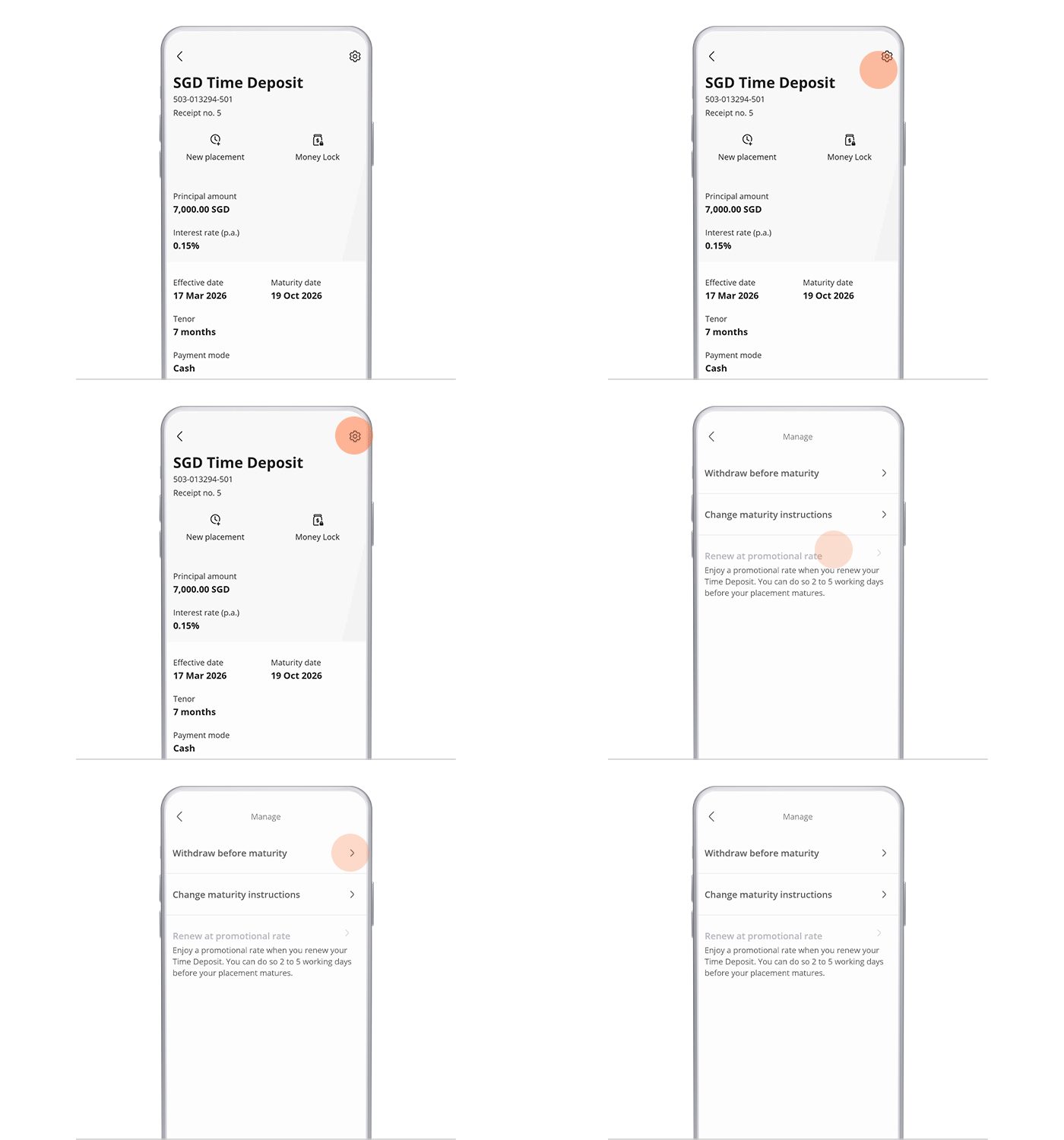
Step 3: Tap on the top-right gear icon and select “Withdraw before maturity”
On mobile app
-
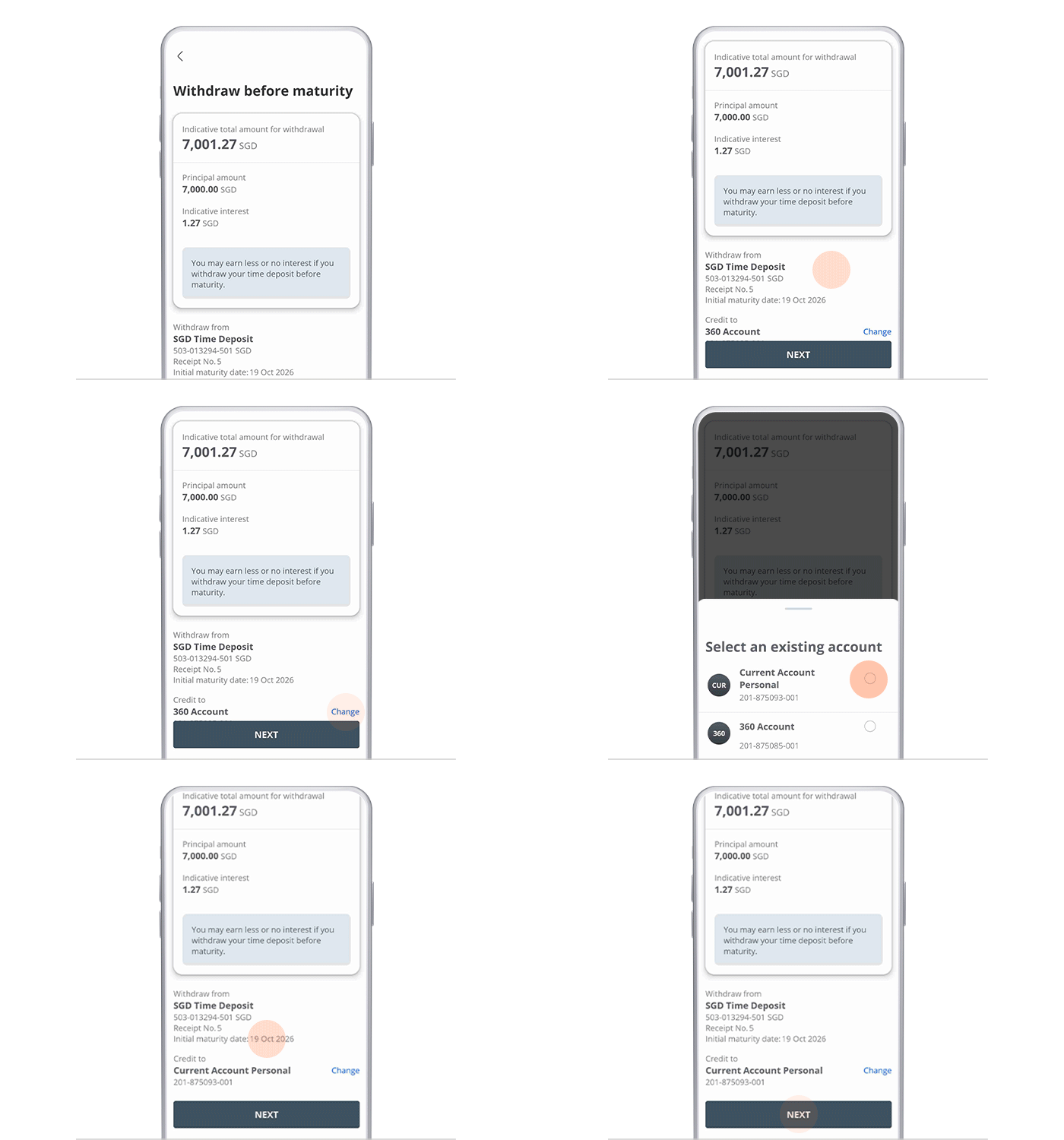
Step 4: Select the account you wish to credit your funds to
On mobile app
-
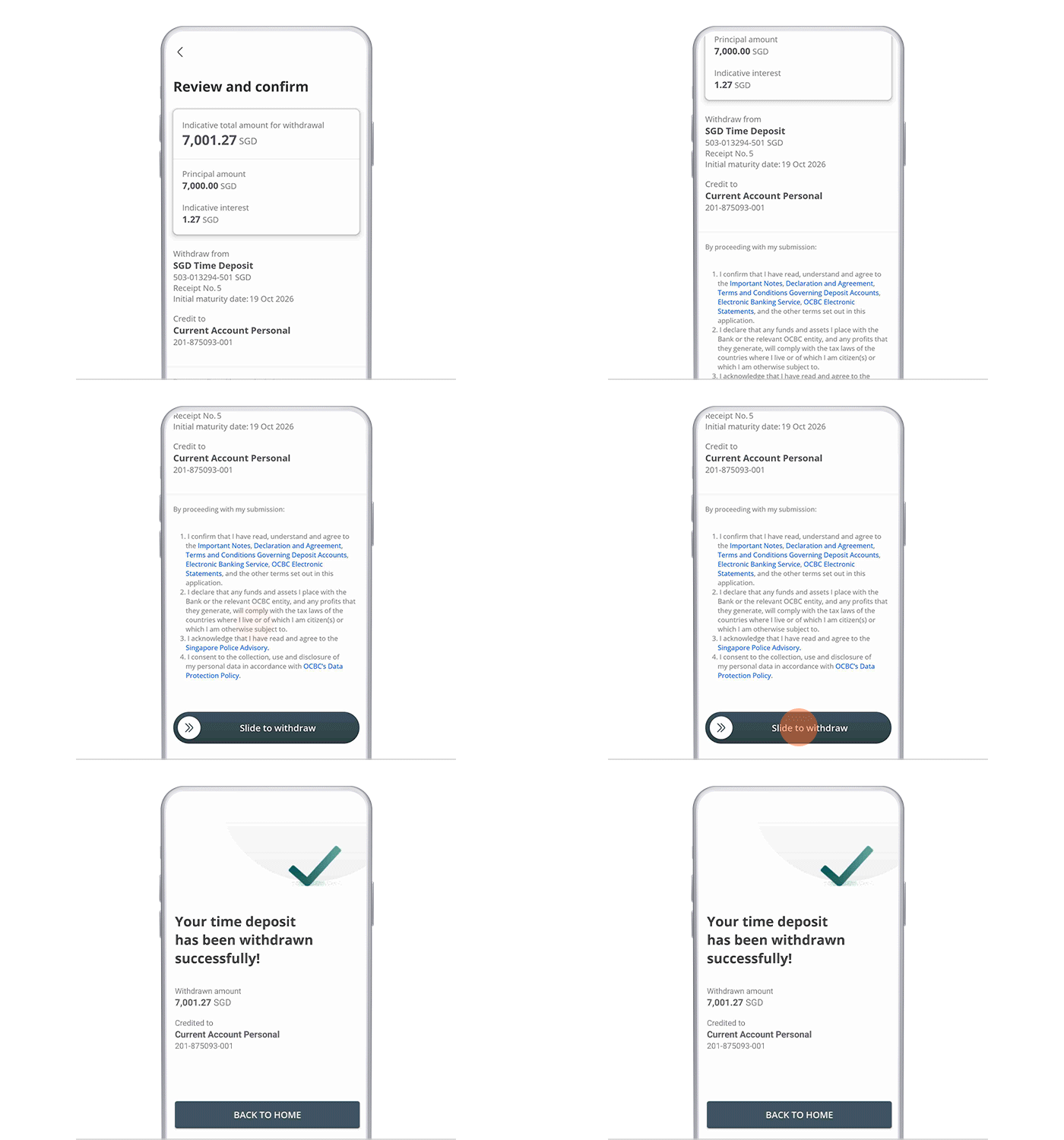
Step 5: Review your withdrawal details, Terms and Conditions and slide right to make the withdrawal
On mobile app