








-
Step 1: Log in to OCBC app or Internet Banking
On OCBC app

On desktop

-
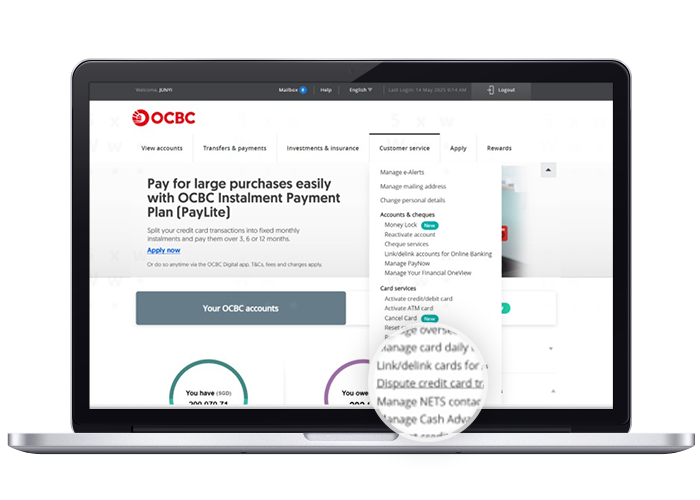
Step 2: Navigate to “Dispute transaction” / “Dispute credit card transaction”
On OCBC app
Tap on "More" at the bottom right corner, Navigate to "Card Services" section and tap on "Dispute transactions"

On desktop
Click on Customer service and select “Dispute credit card transaction” under “Cards”.
-
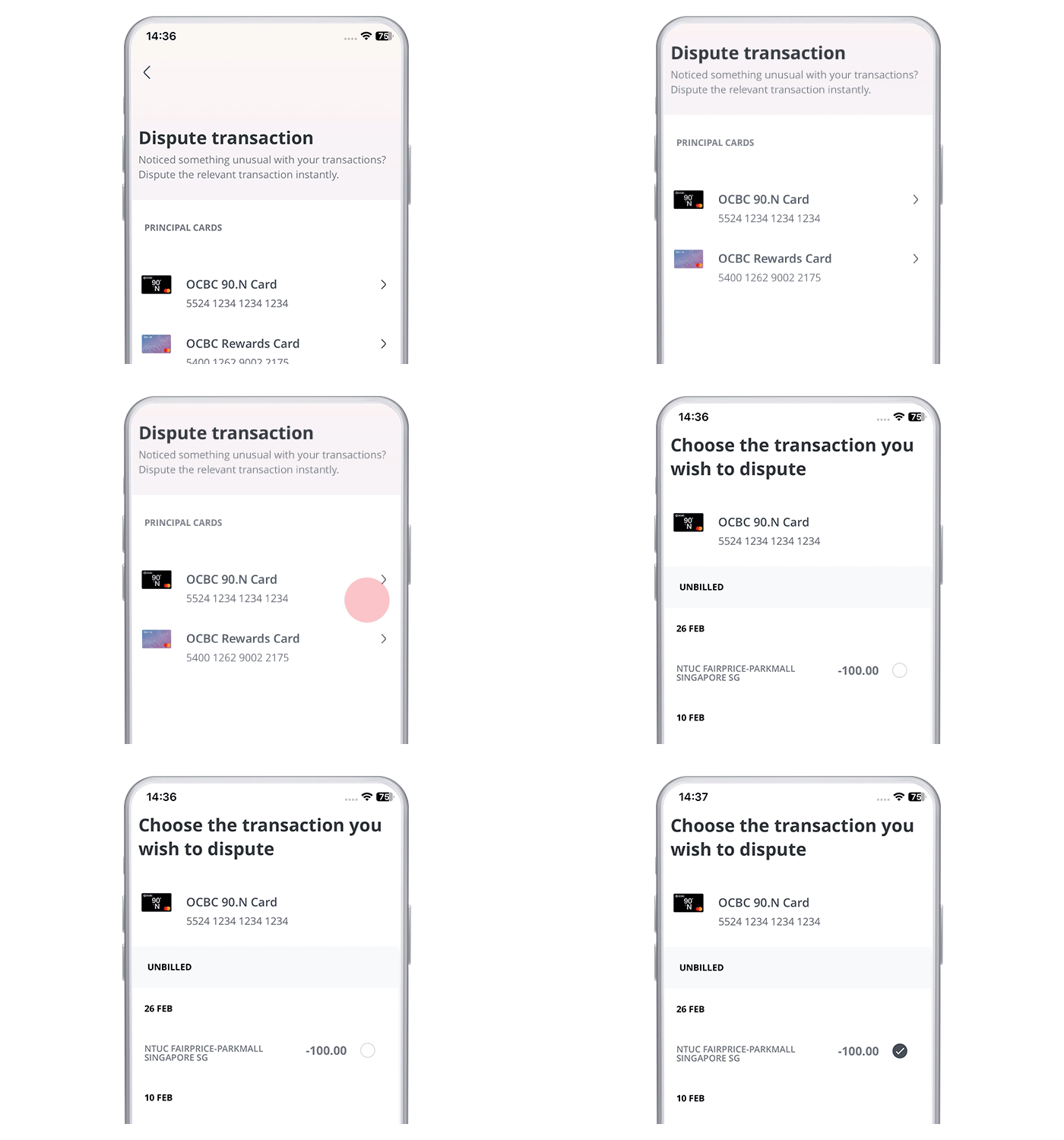
Step 3: Select the card and transaction that you wish to dispute
On OCBC app
Select the card that you would like to request a dispute transaction for and choose the transaction you wish to dispute
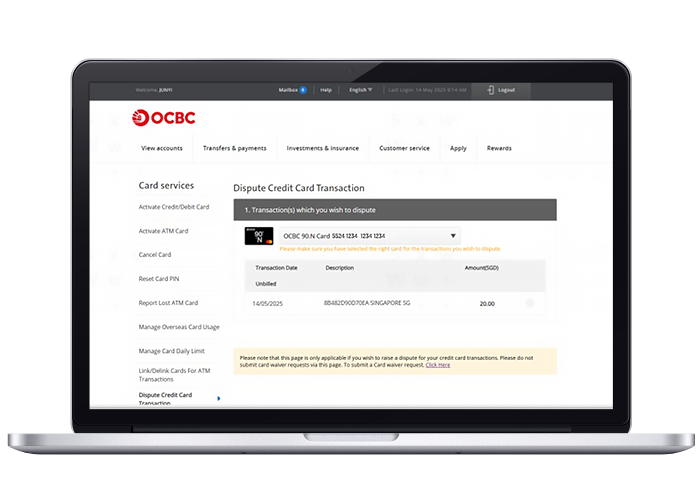
On desktop
Select the card that you would like to request a dispute transaction for and choose the transaction you wish to dispute
-
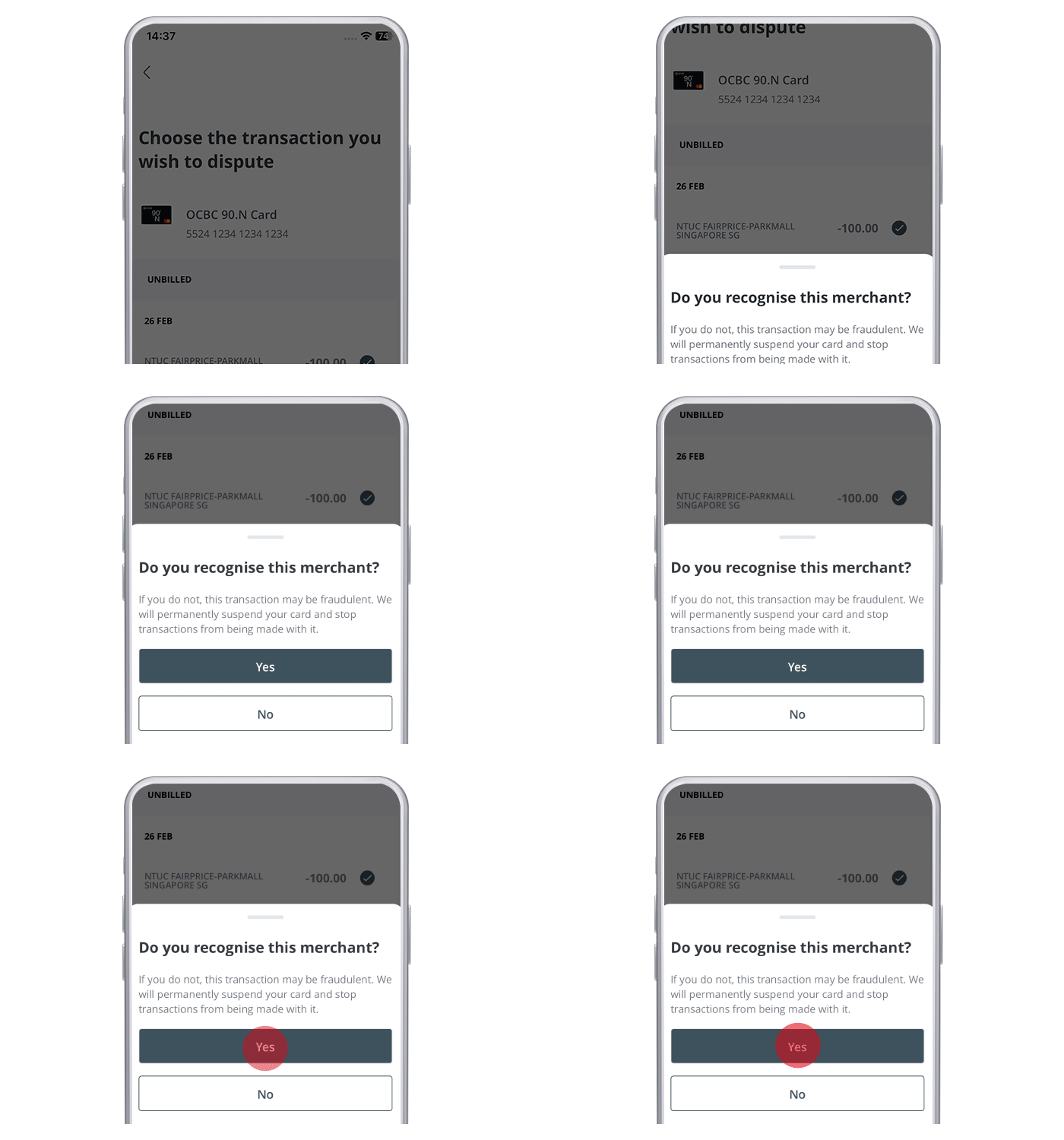
Step 4: Let us know if you know the merchant?
On OCBC app
On desktop
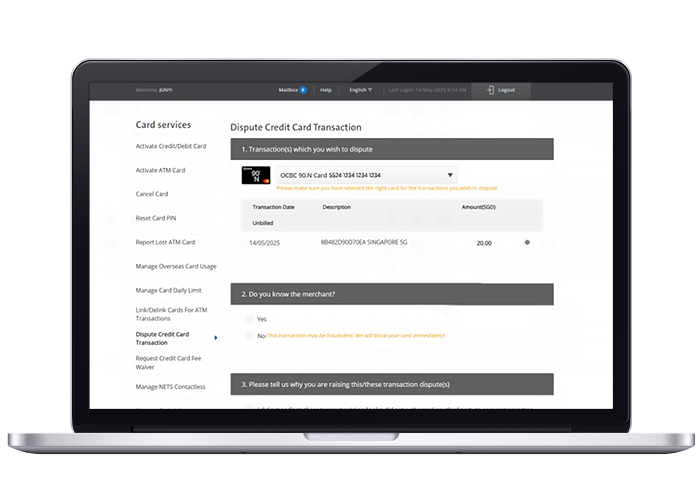
If you do not know the merchant, we will permanently suspend your card and stop transactions from being made with it.
-
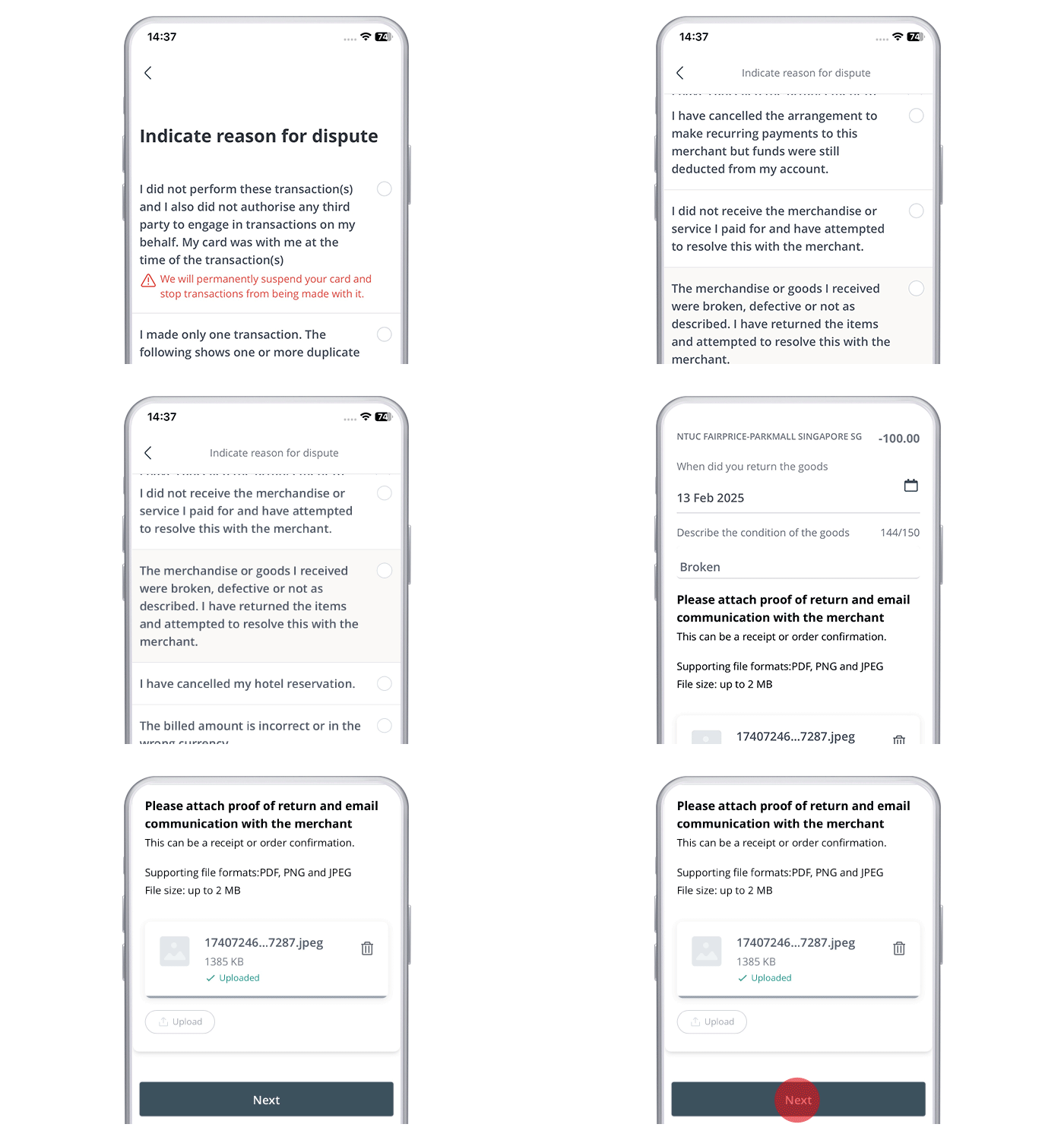
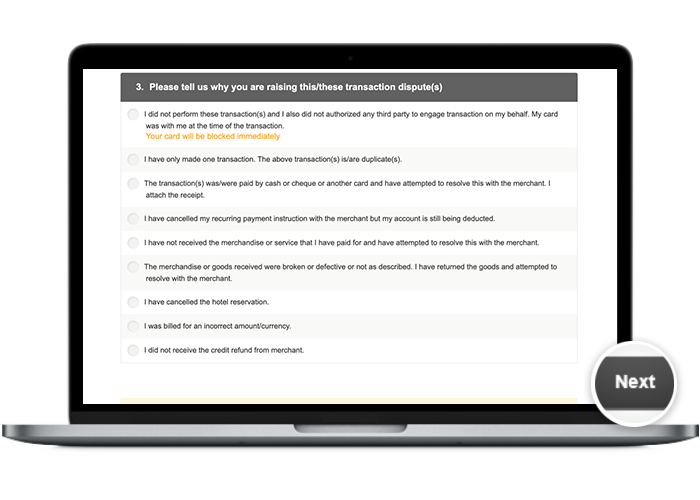
Step 5: Select your reason for disputing the transaction
On OCBC app
On desktop
-
Step 6: You may select more transactions that you wish to dispute for the same reason
On OCBC app
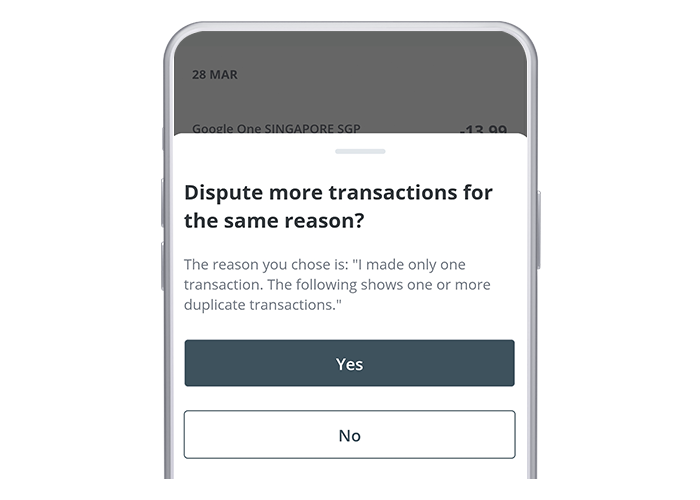
On desktop
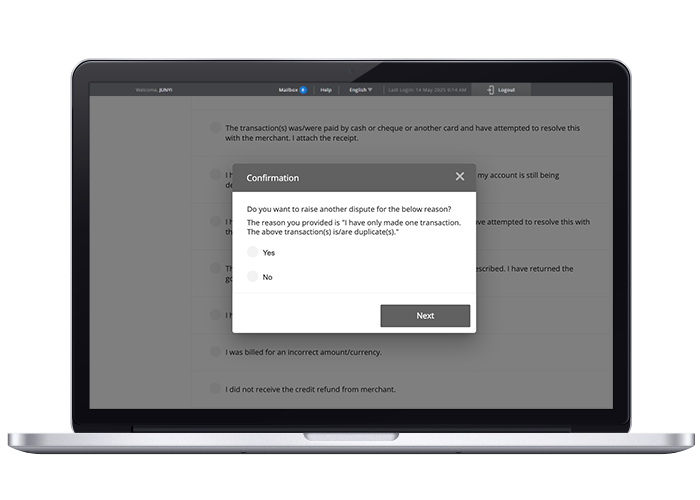
-
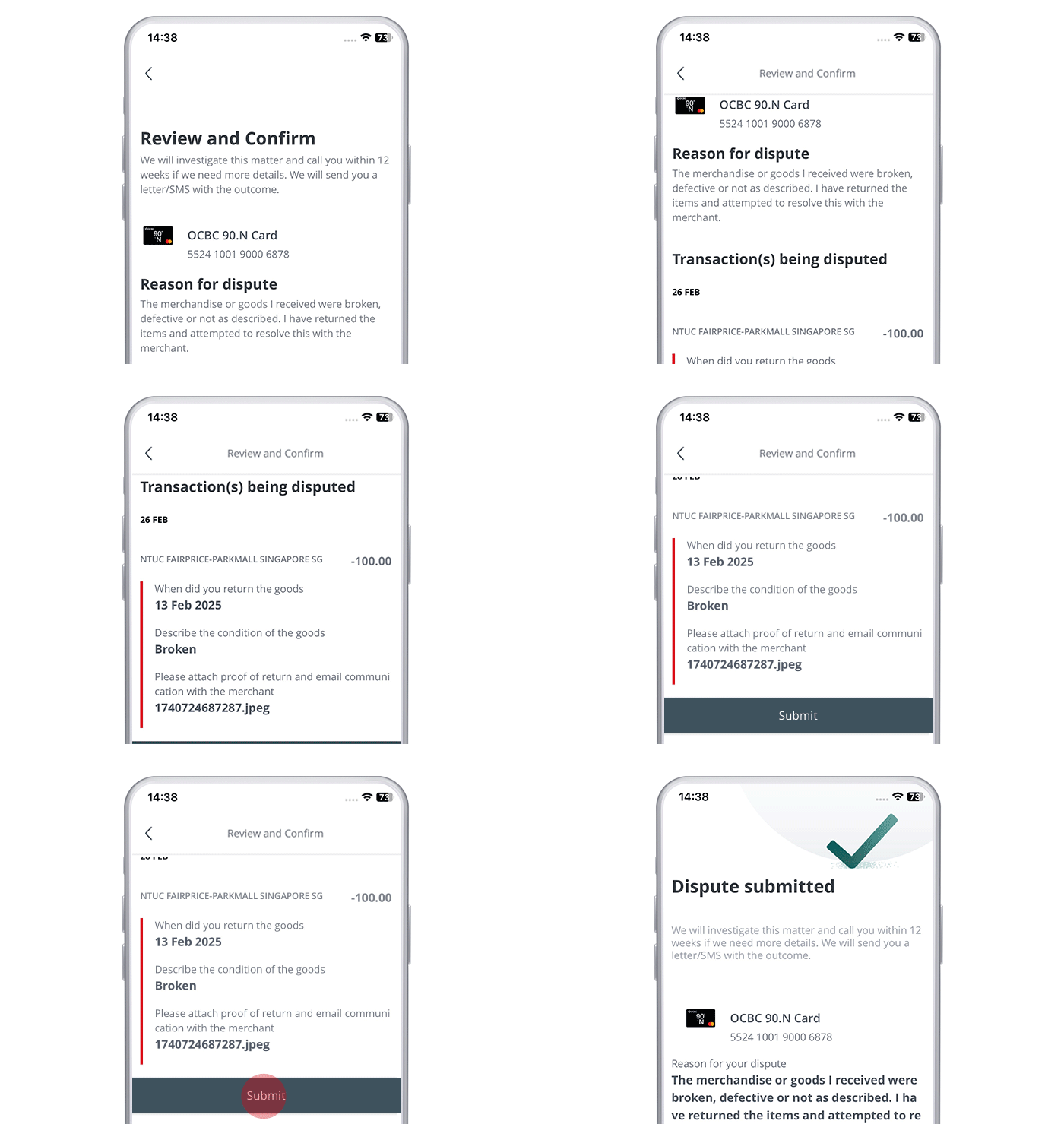
Step 7: Confirm your dispute claim and you're done!
On OCBC app
On desktop
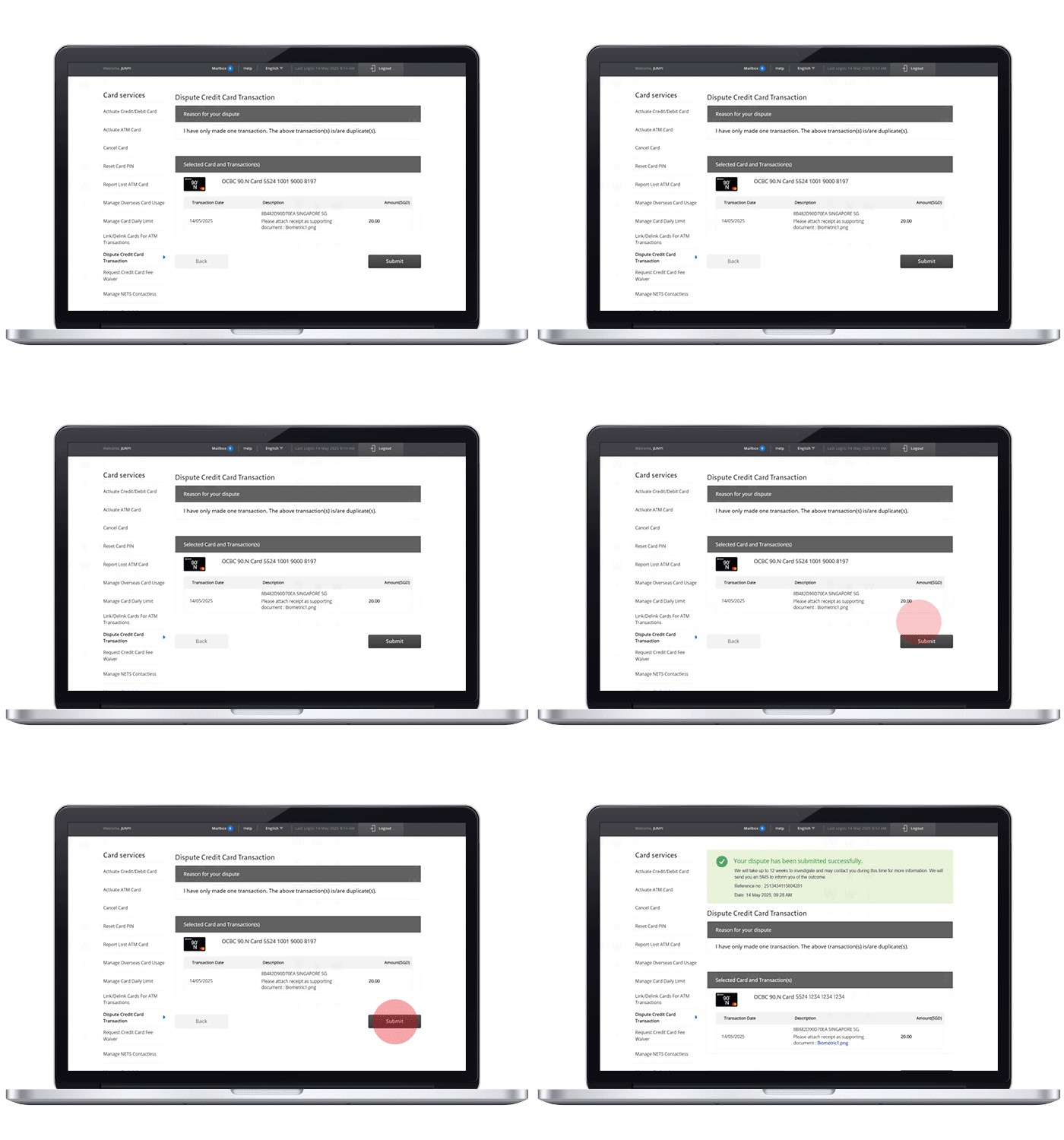
The investigation will take up to 12 weeks, and we may contact you for more information during this time. We will call you to inform you of the outcome.
Scam tactics are constantly evolving. To #BeAProAgainstCons, learn more about the tell-tale signs of different scams and the security features we have designed to protect you.
Read our security advisories to stay up to date on our latest scam alerts and anti-scam tips.