



Locate an OCBC branch or ATM
Bank at our 33 branches and over 1,000 OCBC and UOB ATMs islandwide.
You may modify your search below if you are looking for something more specific.
Filter
Filter
Showing ATMs near you
Important announcements
- Depending on the queue situation, the issuance of queue tickets may end before closure time. We apologise for any inconvenience caused and appreciate your kind understanding.
- We encourage customers to bank with us digitally where possible. You can transfer money, pay your bills, remit money, invest easily and get virtual wealth advisory (including a comprehensive Financial Needs Analysis) with OCBC Digital. Our ATMs across the island in our shared ATM network with UOB are also fully functional.
National Day Branch Closure
All branches will be closed on 9 August 2026 (Sunday) and 10 August 2026 (Monday) for National Day public holiday.
Business will resume on 11 August 2026 (Tuesday).
Notice of Early Closure on all branches
All branches will close early on 25 August 2026 (Tuesday) at 4:30pm for a company event.
Normal operating hours will resume on 26 August 2026 (Wednesday).
OCBC HarbourFront Branch will merge with OCBC Tiong Bahru Plaza Branch
We wish to inform you that OCBC HarbourFront Branch (1 Maritime Square #02-99/100 HarbourFront Centre, Singapore 99253) will cease operations on 25 July 2026, 1.30pm. From 27 July 2026, it will be merged with OCBC Tiong Bahru Plaza Branch, located at 302 Tiong Bahru Road #01-125/126 Tiong Bahru Plaza, Singapore 168732.
OCBC Tiong Bahru Plaza Branch is open on Mondays to Fridays (11am to 6pm), Saturdays and Sundays (11am to 4.30pm). It will be closed on public holidays.
Planning a visit to our branch soon?
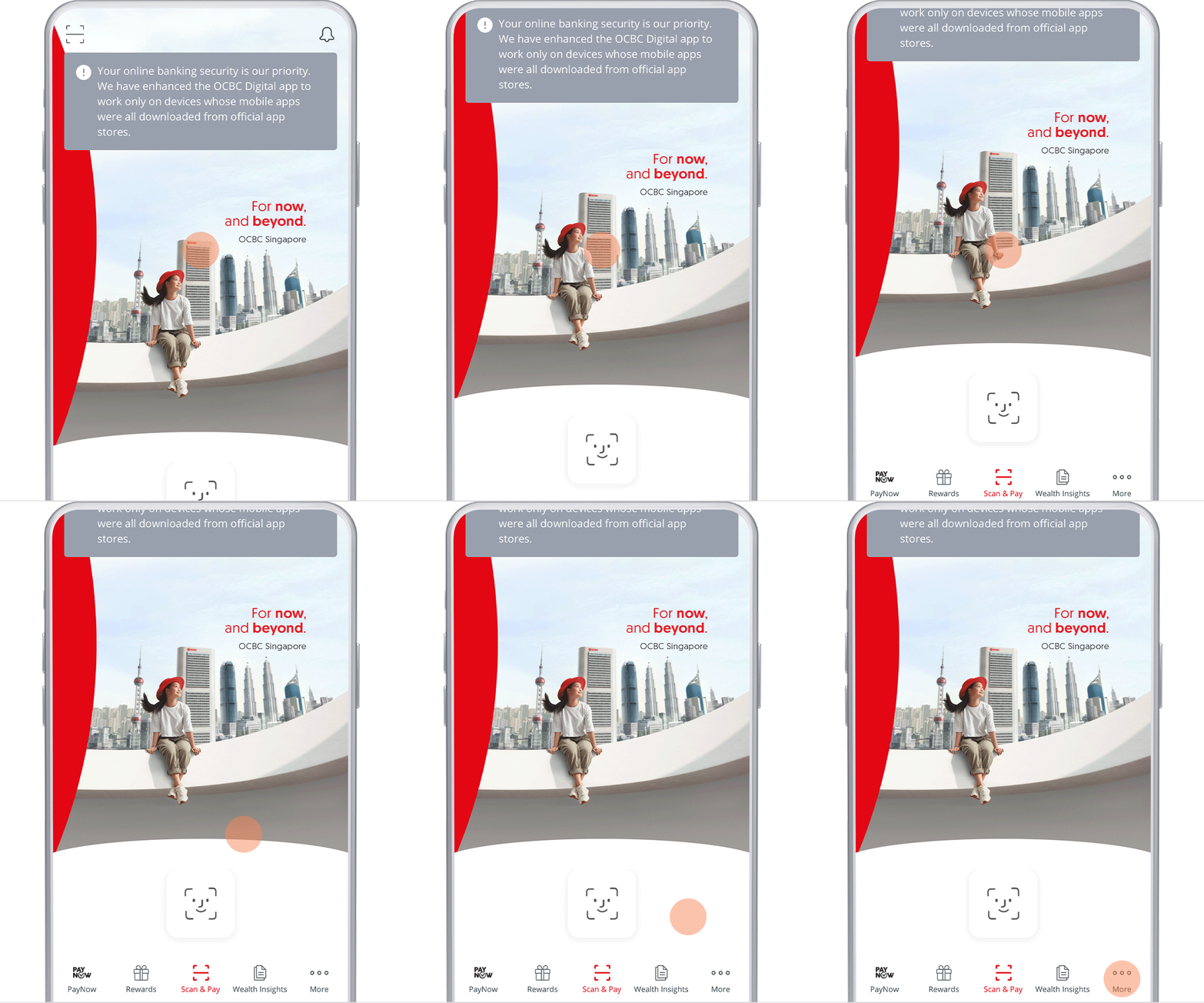
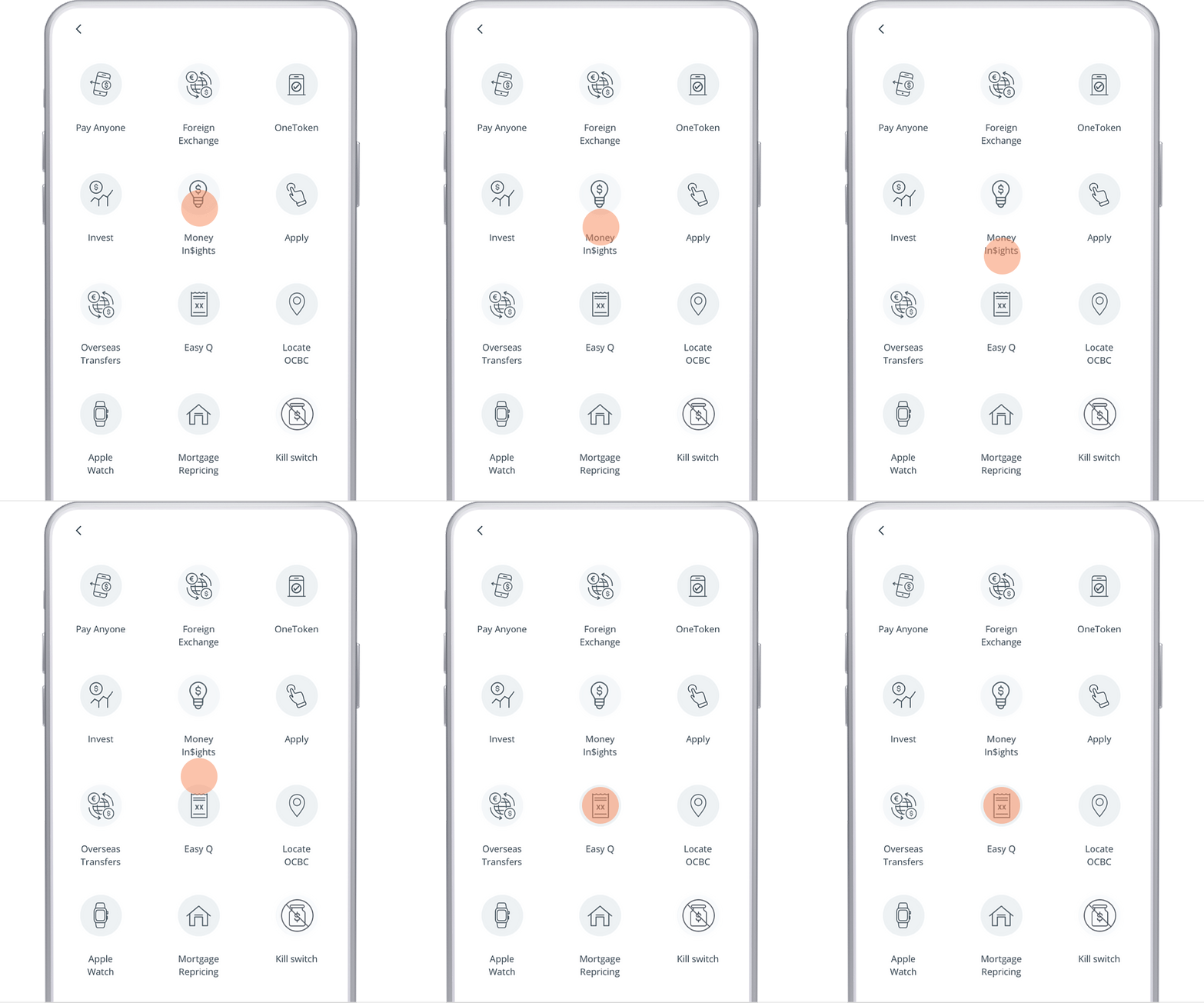
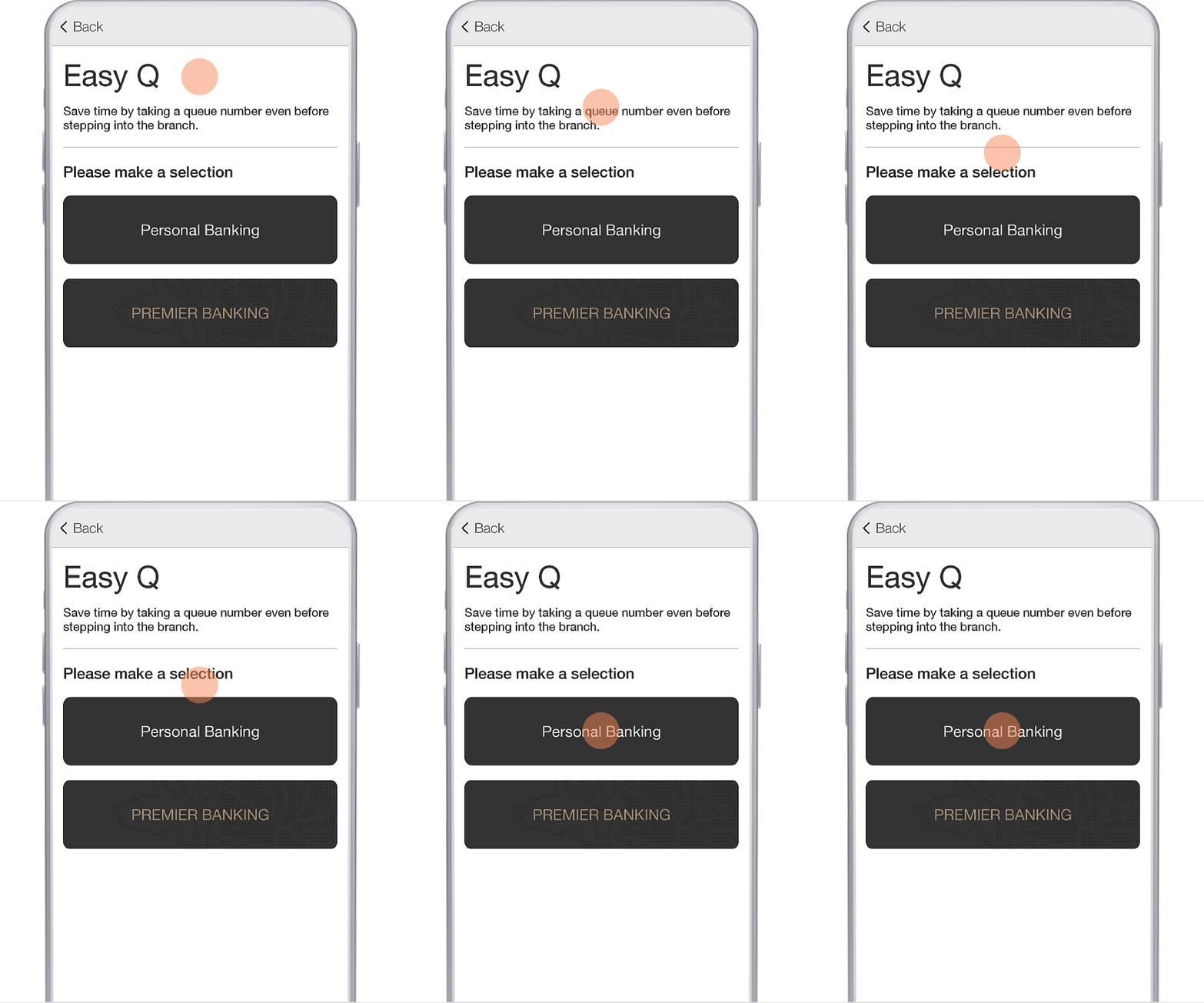
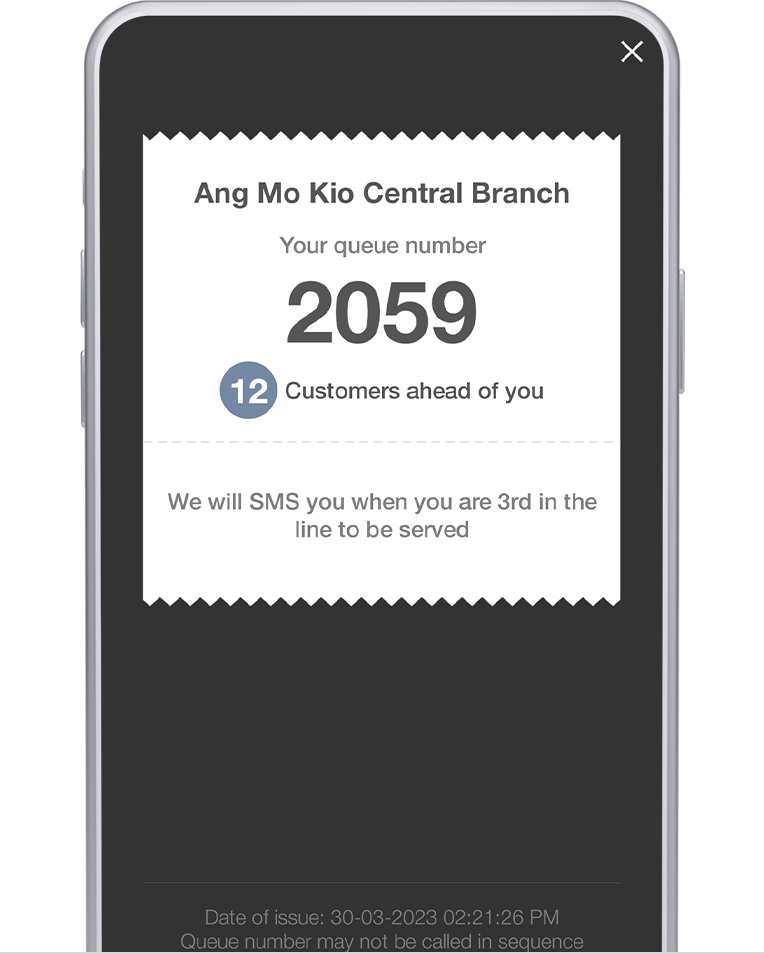
Reduce waiting time and get your queue number instantly with Easy Q on the OCBC app. See how many customers are ahead of you and get notified when you are 3rd in line!
Follow the steps below to get your queue number on the OCBC app.

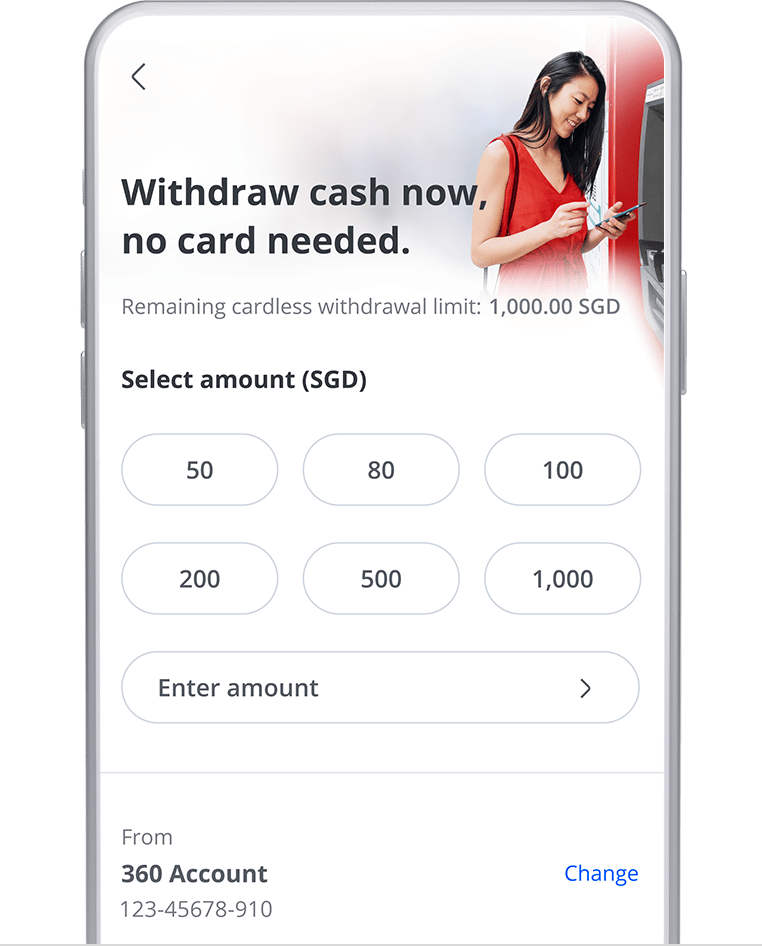
Cardless ATM withdrawal via OCBC app
No card? No problem.
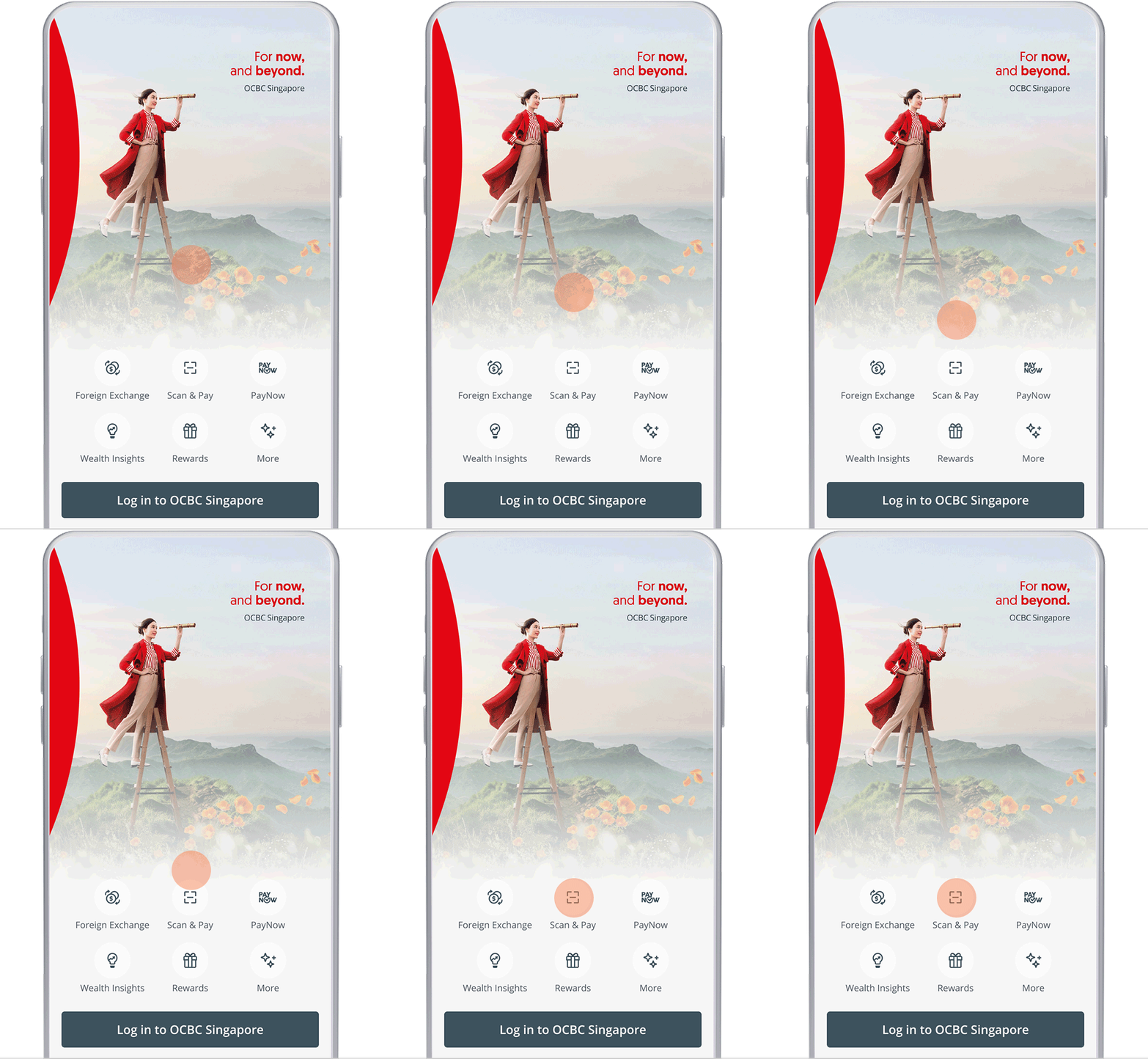
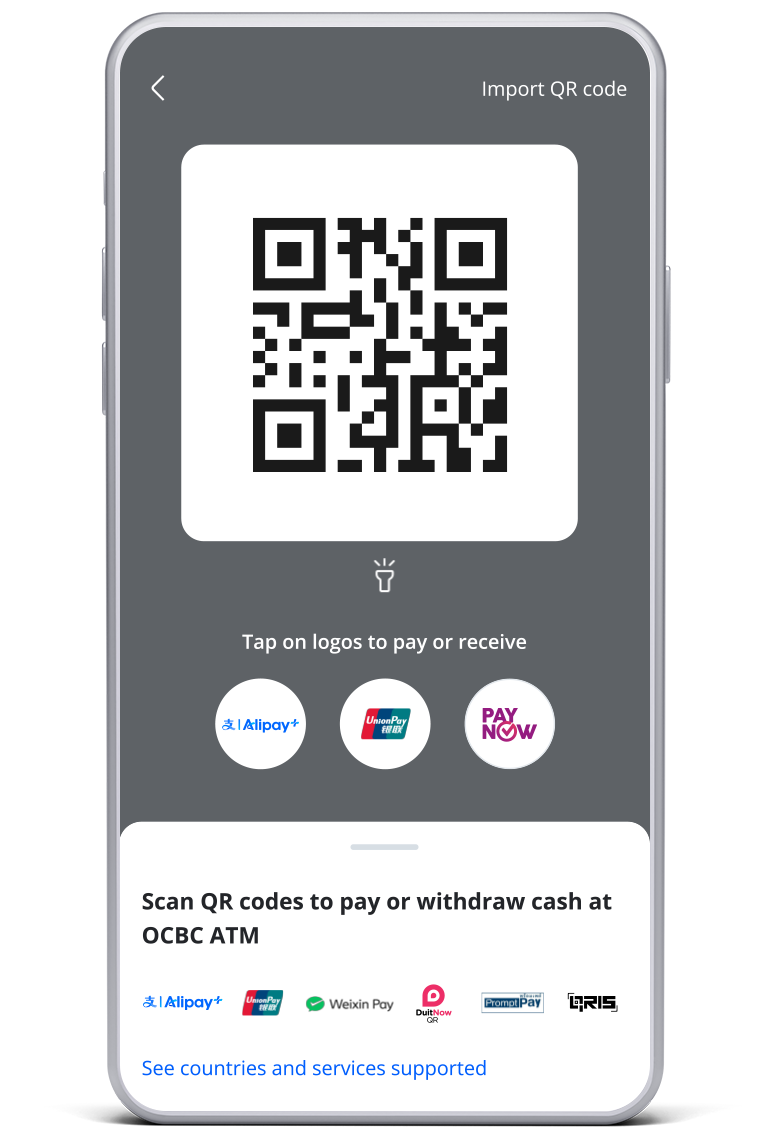
Withdraw cash with peace of mind using QR Cash Withdrawal via the OCBC app at any OCBC ATM island-wide!
Follow the steps below to make cardless cash withdrawals with the OCBC app.
Say hello to our new screen design
These are what you will be able to look forward to:
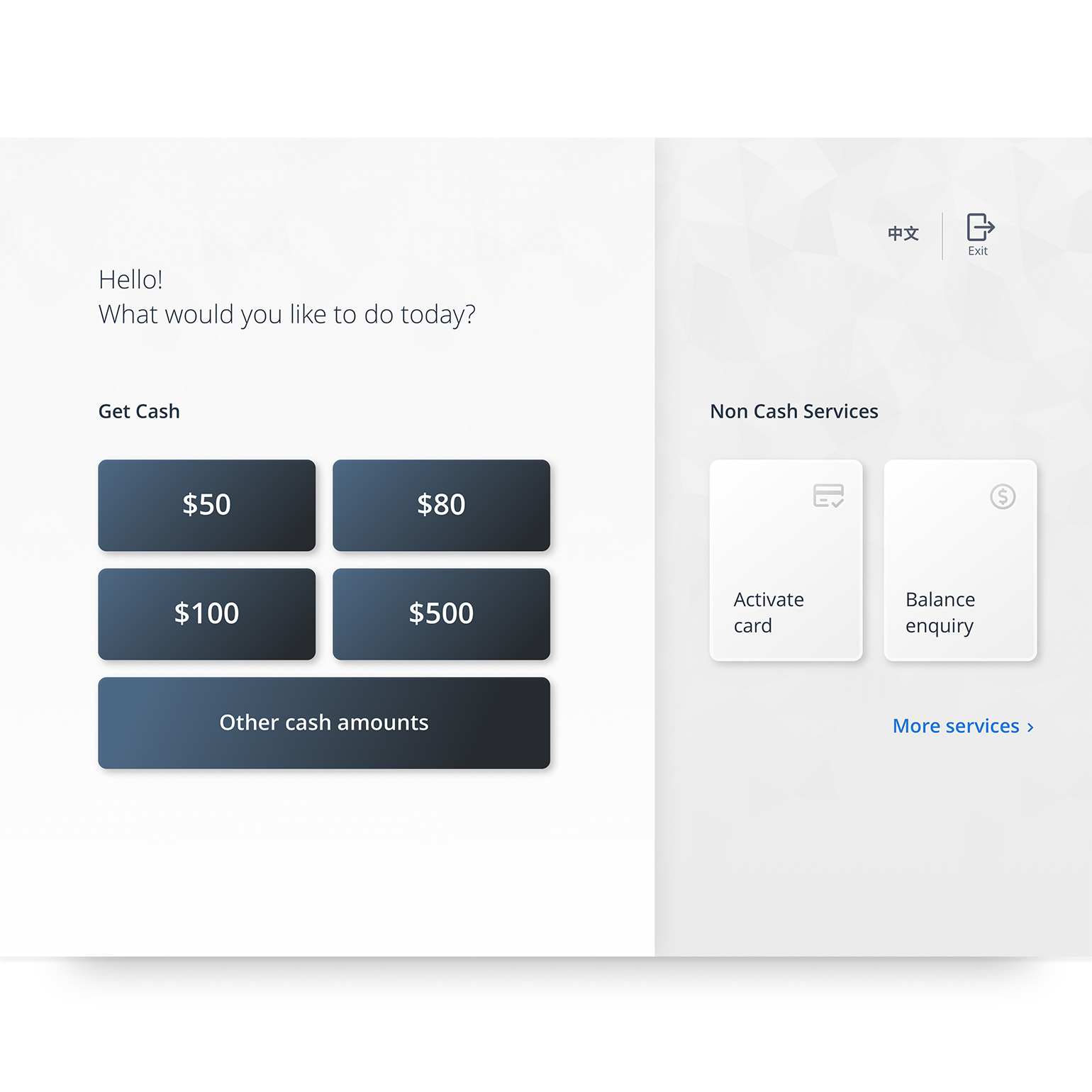
Intuitive Menu Options
Withdraw cash swiftly or select from the top non-cash services at the main page.
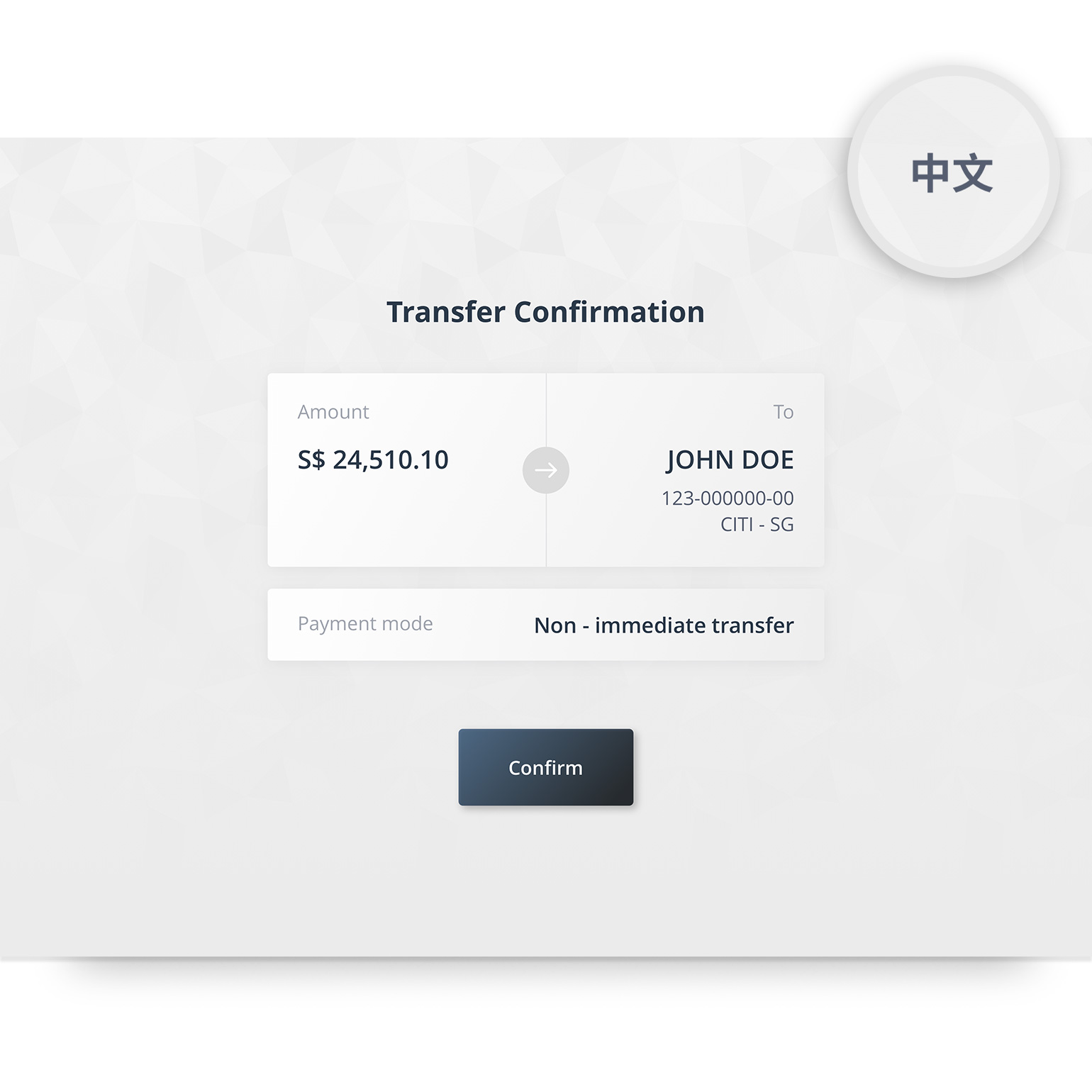
Quick Language Toggle
Toggle between your preferred language using the top right-hand button during transactions.
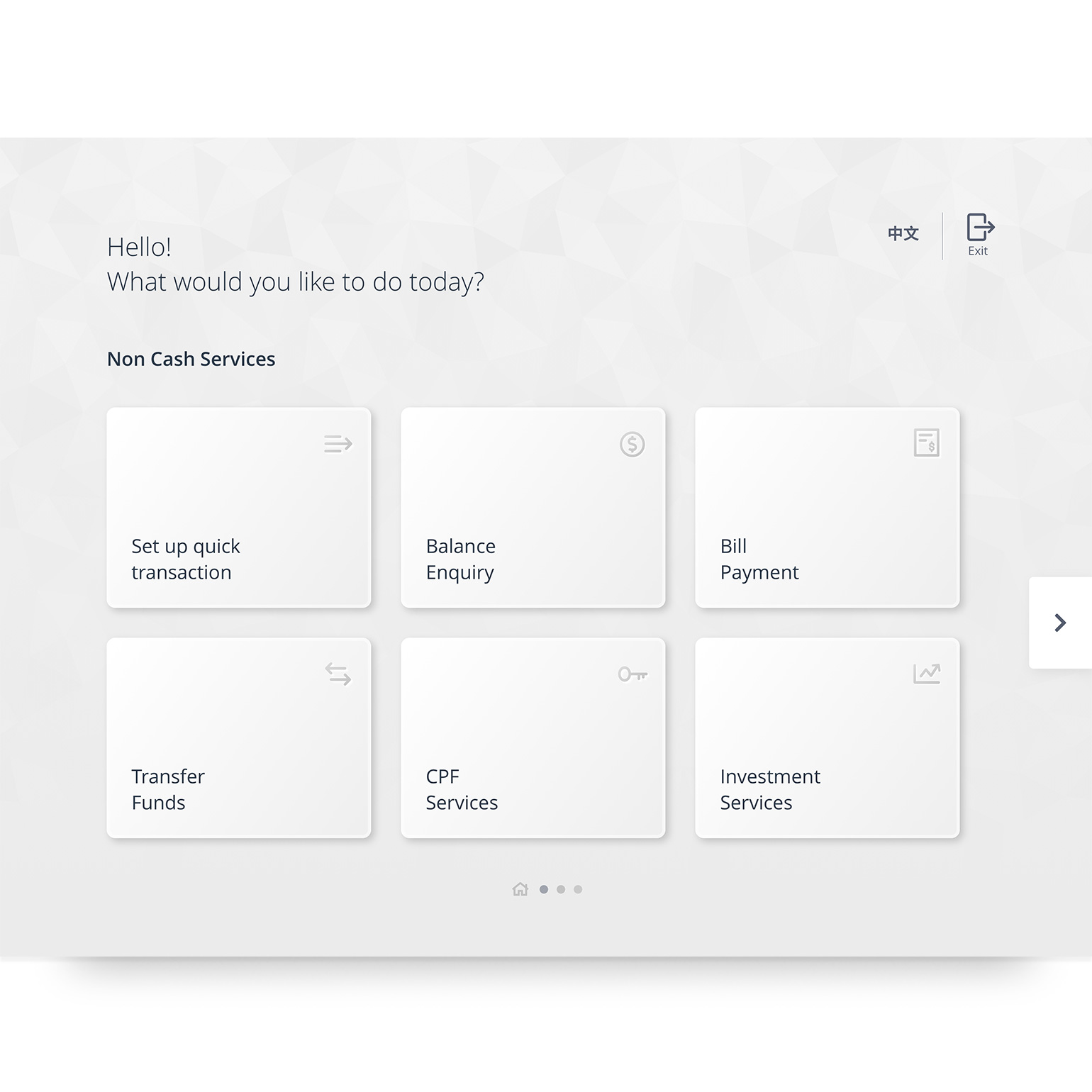
Sleek and Easy Configurations
No more entering numbers to perform selection, simply tap on the screens!
Deposit notes into your OCBC current and savings account
Skip the queue and deposit coins into your OCBC currency and savings account anytime, anywhere.
Change contact numbers
Change address
Change email
Withdraw with a card
You can withdraw cash with a denomination mix of S$10 and S$50
Withdraw without a card via QR Cash Withdrawal
Now you can minimise contact with the ATM and scan to withdraw cash with QR Cash Withdrawal using the OCBC app, up to S$1,000 per day.
Deposit services
Deposit notes and coins into your OCBC current and savings account
From 1 April 2021, the service charge of S$0.012 per coin at the new ATM will be waived so you can enjoy $0 service charge whenever you deposit your cash anytime!
Encash OCBC Personal or Corporate cash cheques* during branch hours
*assistance from our Digital Ambassadors is required
Withdraw up to S$10,000 in a single transaction in your preferred denomination
Service fee waived.
Please bring along your OCBC ATM/Debit/Credit Card.
Locate a new ATM
Change contact numbers
Change address
Change email
Activate or deactivate overseas card use
Update ATM withdrawal and debit card spending limits
Link or unlink accounts for ATM use
View account balance and transactions
Reactivate account
Link or unlink accounts for ATM use
Locate a Self Service Kiosk
Withdraw cash with your OCBC ATM/ Debit card at all 7-Eleven and Sheng Siong stores islandwide.
- Priority Rates
- Title 4
| Stores | 7-Eleven | Sheng Siong |
| Withdrawal Limit | S$200 per transaction Subjected to store's cash availability and customer's daily withdrawal limit | S$1,000 per transaction Subjected to store's cash availability and customer's daily withdrawal limit |
| Denominations | S$10 | S$10 |
| Requirements and other info | Any purchase of any value Not applicable to 7-Eleven stores at Shell petrol stations and Changi Airport | Any purchase of any value Available at all Sheng Siong Stores |
Need to withdraw money overseas?
Please ensure that the overseas ATM cash withdrawal feature on your OCBC ATM, credit or debit card (linked to your savings or current account) is activated.